 Digitoria
WhatsApp
Blog / DIGITORIA JOURNAL
AI Automation Risks: How AI Dependency Quietly Eats Your Skills Like Termites
My neighbour once spent a small fortune on a beautiful teak door....
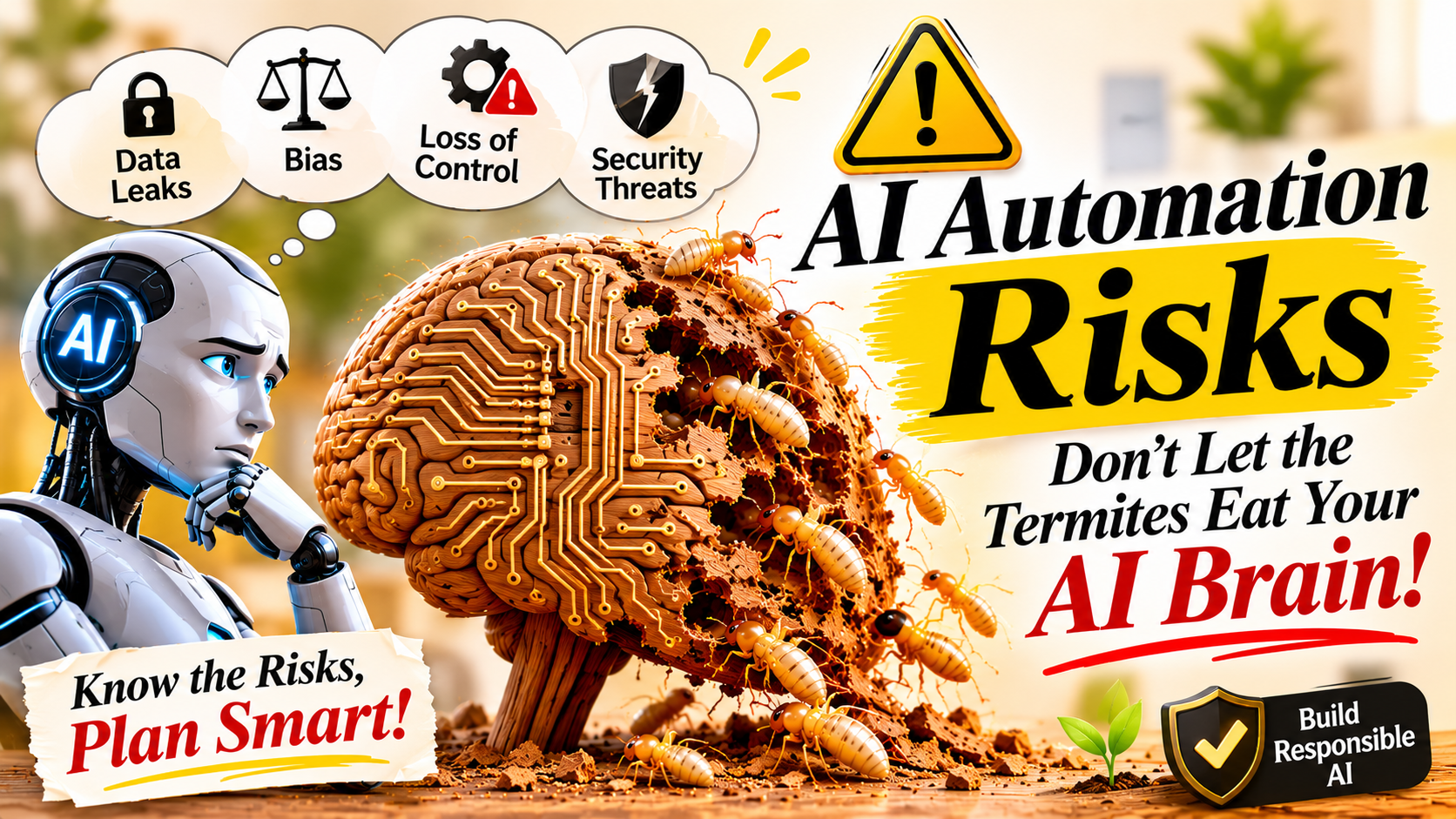
My neighbour once spent a small fortune on a beautiful teak door. It was heavy, polished and the pride of the whole street. Three years later, a visitor leaned on the frame and his hand went straight through the wood. Termites had been working inside it for months. From the outside, nothing had looked wrong.
In short: the main AI automation risks for small businesses are skill loss, data privacy problems, biased or wrong results, security scams and changing job roles. You can manage most of them by keeping people in charge of decisions, checking AI output and never sharing sensitive data with unverified tools.
I think about that door whenever I hear someone say that AI will make their business effortless. AI tools are brilliant, and I use them myself. But the story of that door is the best way I know to explain AI automation risks: the damage is slow, silent and hidden behind a shiny surface.
The Wood Looked Perfectly Fine
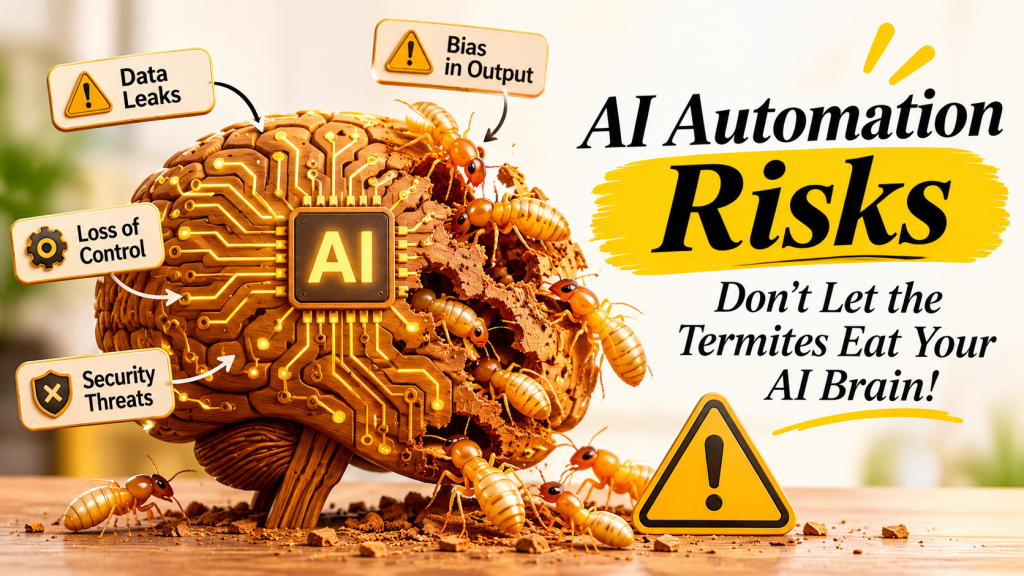
Termites never announce themselves. There is no dramatic day when the house falls apart. There is only a thin mud tube on a wall, a tiny hollow sound when you knock, a little dust you decide to ignore. By the time the problem is obvious, the structure has already been weakened.
AI automation risks behave in much the same way. In the first weeks, everything feels like a win. Emails are drafted in seconds. Reports write themselves. Social media captions appear on demand. You feel faster and smarter, and your team feels relieved.
The trouble is that comfort hides the cost. Each time a tool does your thinking, you skip a small piece of practice. One skipped task means nothing. A year of skipped tasks can leave you unable to do the work without help, and nobody notices until the day the tool is unavailable, wrong or simply not enough.
Spotting AI automation risks at this stage is much easier than repairing the damage later.
What AI Automation Risks Really Mean
Let me be clear about what I am not saying. I am not saying AI is dangerous, evil or something to avoid. Used well, it saves hours of repetitive work and lets small teams compete with much larger ones. A calculator did not ruin mathematics, and AI will not ruin business.
The real AI automation risks begin when a helpful tool becomes a habit you cannot break. This is often called AI dependency: relying on the tool for thinking you could easily do yourself. Researchers have long studied a related idea called automation bias, which is our tendency to trust automated suggestions even when our own judgement says otherwise.
The research on long-term effects is still developing, so it would be dishonest to make dramatic claims. But the basic idea is hard to argue with. Skills that we stop using tend to fade. That is true for languages, for sports and, quite likely, for thinking itself.
How the Termites Get In
Termites enter through small cracks you barely notice. AI dependency also enters through small, reasonable decisions.
First comes speed. An answer arrives in five seconds, sounds confident and reads well. It is tempting to accept it instead of spending thirty minutes thinking. Speed becomes a habit, and the habit becomes the default.
Then comes the removal of friction. Scheduling, replies, summaries and content can all run in the background. Less friction saves time, but friction is also where learning lives. When we skip the struggle, we often skip the understanding as well. This is one of the quietest AI automation risks, because it feels like pure efficiency.
Finally comes trust. AI is wrong less often than people fear, but when it is wrong, it is wrong with total confidence. A person who has stopped checking will pass those mistakes to customers without ever knowing. That is why AI automation risks deserve attention before they become expensive.
Four Things Quietly Disappearing
Your problem solving. If you ask AI before you try, you never build your own method. Over time, even small problems start to feel heavy. Problem solving is a muscle, and muscles weaken when someone else lifts everything.
Your memory of your own business. When every figure, process and answer is one prompt away, you stop trying to remember. That is harmless for trivia. It is dangerous for the knowledge that makes your business yours, such as your customers’ habits, your pricing logic and your own hard-won lessons.
Your voice. Content written entirely by AI tends to sound like everyone else’s content. If you stop drafting your own ideas, your brand slowly loses its personality. Customers may not know why, but they feel the difference between a business that speaks and a business that merely publishes.
Your confidence. People who always ask a tool what to do begin to doubt their own judgement, even in areas where they have twenty years of experience. This is the part of AI automation risks that rarely gets discussed, and it may be the most expensive one. Left alone, these AI automation risks only grow. Left alone, these AI automation risks only grow.
A Small Business You May Recognise
Imagine a small interior design studio. In January, the owner starts using AI for client emails, project descriptions and social media posts. Work speeds up. By March, she has stopped writing anything herself. By June, every post sounds polished and strangely impersonal.
Then a long time client sends a complicated, emotional complaint. The AI draft is polite but misses what the client actually feels. The owner realises she no longer trusts her own instinct for how to reply. She had not lost her skill overnight. She had simply stopped using it, one convenient shortcut at a time.
This is a made-up example, but I suspect many readers will recognise some part of it. That is exactly how AI automation risks feel from the inside: not like a crisis, but like a series of sensible choices.
Regular checks make AI automation risks far less frightening.


Signs the Wood Is Hollow
Termite inspectors knock on wood and listen. Here are a few knocks you can try on your own workflow today.
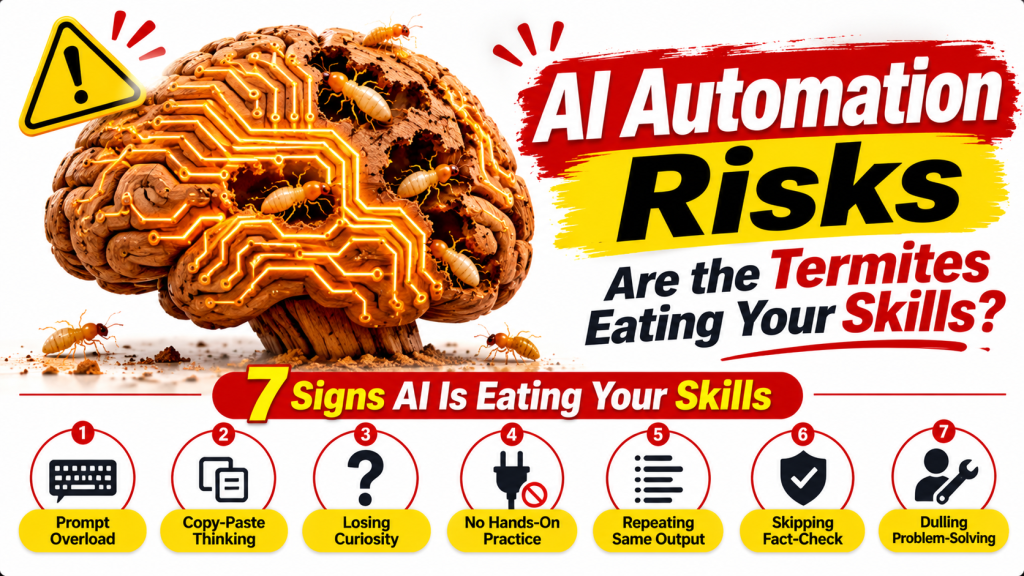
Do you open the tool before you have thought about the problem? Do you publish AI text after only a quick glance? Can your team explain why a decision was made, or only that the tool suggested it? Do you feel stuck, even briefly, when the tool is down? Do your emails, posts and pages all share the same flat tone?
If several answers are uncomfortable, do not panic. Catching AI automation risks early is like spotting the first mud tube on a wall. It is far easier to deal with now than after the damage has spread.
7 Smart Ways to Stop the Termites
Good termite control is not dramatic. It is regular inspection, a few firm habits and treating the wood before the problem grows. Here is the same approach for your business.
1. Think first, prompt second. Spend five minutes writing your own outline or ideas before you ask AI for help. Then let the tool improve your thinking instead of replacing it. This one habit removes a large share of AI automation risks.
2. Keep people in charge of decisions. Let AI suggest options, but let a person choose, especially for pricing, hiring, complaints and anything involving trust.
3. Treat every output as a draft. Check names, dates, numbers and claims against reliable sources before anything reaches a customer.
4. Automate tasks, not judgement. Reminders, formatting, scheduling and data entry are great candidates. Strategy, empathy and final approval belong with humans.
5. Write something yourself every week. One email, post or plan in your own words keeps your voice and your thinking alive.
6. Teach the craft, not just the tool. New team members should understand the fundamentals of marketing, accounts or customer service. If people can only work with the software open, the business is more fragile than it looks.
7. Schedule tool-free time. Set aside regular sessions for brainstorming and review without AI. It keeps your mind active and shows you what the tools truly add. These habits keep AI automation risks under control.
The Assist, Don’t Replace Test
If you remember only one idea from this article, make it this test. If a tool helps you do better work faster, it is assisting. If you could no longer do the work without it, it may be replacing a skill you need.
Apply it to each workflow every few months. Writing a first draft with AI help, then rewriting it in your own voice, passes the test. Pasting a prompt and publishing the result probably does not. Regular inspection like this keeps AI automation risks small and manageable.
This is the simplest habit for managing AI automation risks over time.
AI Automation Risks and Your Website
Your website is where customers decide whether to trust you. If every page is generic AI text, visitors and search engines may find it thin and forgettable. Real examples, local knowledge, original photographs and your own experience are things no tool can invent for you.
This is where AI automation risks touch marketing directly. A page that sounds like a thousand other pages gives nobody a reason to choose you. Use AI to polish, structure and speed up your work, but let the substance come from you. If you want a website that reflects your real business instead of a copy of everyone else’s, explore Digitoria’s web development services.
A Weekly Inspection That Takes Ten Minutes
Once a week, pick one task you normally give to AI and do it yourself first. It could be a customer reply, a social media idea or a short plan. Then compare your version with the AI version.
You will often find that your draft has details the tool missed, such as a customer’s name, a local reference or a bit of humour. The tool, in turn, may offer a cleaner structure. Combining both gives the best result and keeps you in control. Over a year, this tiny habit is one of the most practical defences against AI automation risks.
What Small Business Owners Can Do This Month
Start with an honest audit. List every task where your team currently uses AI, then mark each one as routine, creative or sensitive. Routine tasks, like formatting and scheduling, can stay automated. Creative tasks deserve a human first draft. Sensitive tasks, such as complaints, pricing and hiring, should always end with a person’s decision. This simple map makes AI automation risks visible and easy to discuss with your team.
Next, agree on a few team rules. For example, nothing customer-facing is published without a human read-through, and every important number is checked against its source. Keep the rules short and practical, because rules nobody remembers will not protect anyone. Review them after a month and adjust what is not working.
Why Human Judgement Still Wins
AI is excellent at patterns, speed and structure. It is much weaker at knowing your customer’s mood, your local market or the history behind a long business relationship. Those details live in people. A shopkeeper who knows that a regular customer prefers a phone call to an email is using knowledge no tool can guess.
This is why the smartest response to AI automation risks is not fear but balance. Let the tool carry the heavy, repetitive load, and keep your own attention for the moments where trust, empathy and context decide the outcome. Businesses that protect these human strengths usually stand out most, because customers can feel the difference.
If you are unsure where to begin, pick just one workflow this week and apply the assist, don’t replace test to it. Write down what you learn, share it with your team and repeat the process next month. Small, steady checks are the most reliable way to keep your skills strong while still enjoying everything AI has to offer.
Other AI Automation Risks Every Business Owner Should Know
Skill loss is only one part of the picture. When people search for AI automation risks, they also look for problems that affect customers, data and reputation. A small business should know these too, because the same tools that save time can create new exposure if nobody is watching.
Data privacy. Pasting customer details, invoices or internal documents into an AI tool can expose sensitive information. Before using any tool, check what it does with your inputs, and avoid sharing personal or confidential data unless you are sure about the terms.
Bias in results. AI learns from existing data, which may be incomplete or unfair. If you use it to screen job applicants, set prices or judge customers, a person should review the outcome so that unfair patterns do not slip through.
Misinformation. AI can produce text that sounds right but is wrong, and it can create convincing fake images or messages. Verify claims before you publish, and be careful about fake invoices or “urgent” requests that may be AI generated scams.
Security threats. The same technology can help attackers write more believable phishing emails. Train your team to double-check unusual payment or password requests, even when the message looks professional.
Changing jobs. Automation can change which tasks people do. The best response is not panic but learning: keep building skills that depend on judgement, creativity and customer relationships. Managing AI automation risks includes helping your team grow alongside the tools.
What a Healthy Workflow Looks Like
A healthy workflow does not mean fewer tools. It means clear roles for each one. Think of a well-built house: the frame is strong, the doors are checked, and nobody is surprised by what is happening inside the walls. In the same way, a business that understands AI automation risks knows which jobs the tool handles, which jobs people handle and where the two meet.
Write this down in one page. List your main tasks, mark the ones that AI supports, and name a person who is responsible for checking each result. When a mistake appears, you will know where it came from and who can fix it. This is a quiet but powerful way to reduce AI automation risks without slowing anyone down.
When Automation Runs Without Oversight
Some of the most serious AI automation risks appear when a system is given too much freedom. An automated tool that can send emails, change prices or approve requests without a person watching can repeat one small mistake hundreds of times before anyone notices. This is sometimes called drift: the tool slowly moves away from what you intended, because the data or the situation has changed.
The simple defence is to limit permissions and keep a regular review. Give each automation only the access it needs, set clear limits on what it can do alone, and check its results every week. Treat it like a new employee in the first month: useful, but supervised.
Confident Answers That Are Wrong
AI can produce answers that sound sensible but are simply incorrect, and it often cannot explain how it reached them. This makes mistakes hard to trace. If a customer receives wrong information, you need to know where it came from and who approved it.
Keep a simple record of which tasks used AI and who checked the result. When something goes wrong, you can find the cause quickly and fix the process instead of blaming individuals. Clear accountability is one of the most practical ways to manage AI automation risks in a small team.
Questions to Ask Before You Automate Anything
Before you hand a new task to a tool, pause for a minute and ask three simple questions. Could I explain this task to a new employee without the tool? If the tool failed tomorrow, would we still be able to do it? Would a mistake here upset a customer or cost real money?
If the answer to the first two is no, you may be building a weak spot into your business. If the answer to the third is yes, keep a person in the loop. These questions take a minute, yet they catch many AI automation risks before they turn into habits.
Teaching Your Team to Stay Sharp
Your team will copy the habits they see. If the owner pastes a prompt and publishes the result, everyone else will do the same. If the owner reads, edits and adds a personal touch, the team learns that quality still matters. Leadership sets the tone, and that matters more than any written policy on AI automation risks.
Encourage people to share what they learn. A short weekly chat about one task done with AI and one done without it can be surprisingly useful. Celebrate the moments when a human caught a mistake the tool missed. Those stories make the value of human judgement real, and they keep the team curious instead of careless.
Keeping Customers at the Centre
Customers rarely care which tool wrote a message. They care whether it felt honest, helpful and personal. A reply that mentions their name, their earlier order and their actual worry builds trust. A generic answer, however polished, does not. Keeping customers at the centre is the simplest defence against AI automation risks, because it reminds you what the tools are for.
When in doubt, read your own message as if you were the customer. Would you feel looked after, or processed? If it feels like the second, add a human sentence, a local detail or a direct answer to their question. That small edit can turn an automated message into a relationship.
Build with Care, Not with Fear
A house is not worthless because termites exist. People simply build with treated wood, inspect regularly and repair small damage early. The same attitude works here. You do not need to give up AI. You need to use it deliberately, with your eyes open.
The business owners who will do best in the coming years are probably not the ones who use the most AI, nor the ones who refuse it completely. They are the ones who stay sharp enough to know when the tool is right, when it is wrong and when it is simply unnecessary.
My neighbour replaced that teak door, this time with treated wood and a yearly inspection. He still loves the door. He just stopped assuming that a beautiful surface meant a healthy structure. Understanding AI automation risks asks for the same attitude: enjoy the tool, keep inspecting your own skills and never let the thinking that built your business quietly turn to dust. Careful use is the best answer to AI automation risks.
Frequently Asked Questions
What are the biggest AI automation risks for small businesses? Skill loss, data leakage, wrong or biased output, AI-powered scams and changing job roles are the most common concerns.
Can AI automation replace human workers? It can take over repetitive tasks, but judgement, empathy and customer relationships still need people.
How can I use AI safely in my business? Keep a human reviewer, avoid pasting confidential data, verify facts and review your workflows every few months.